Customize UI & Email settings
There are a ton of settings you can customize from the the General settings under your account settings from uploading a personal avatar to setting your timezone.
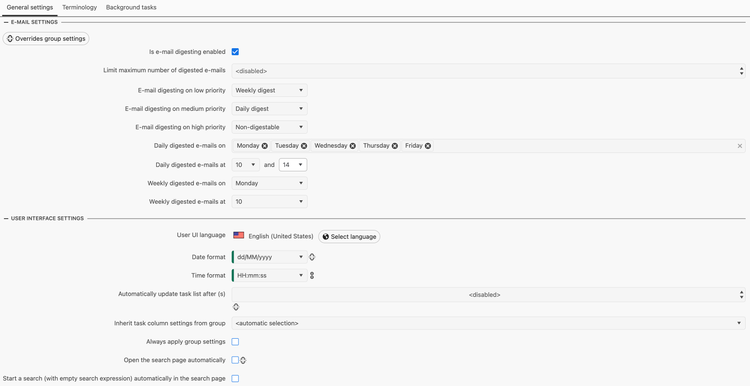
Here are the two we recommend checking:
Email settings
If you're not happy with how often you're receiving terminology digest emails / notifications you can modify that under here. You can select which type of notification the different priority of tasks come under. By default low priority task notifications come under Weekly digest, medium priority task notifications come under Daily digests and high priority task notfiications are Non-digestable (meaning they trigger an immediate email notification).
You can also modify what days you receive the weekly & daily digest emails as well as the time slots.
While these are the settings we recommend keeping but understand you may want to adapt it to your needs.
It's also important that these times are based on the timezone you set - this is also configurable within the General settings under My account.
User interface settings
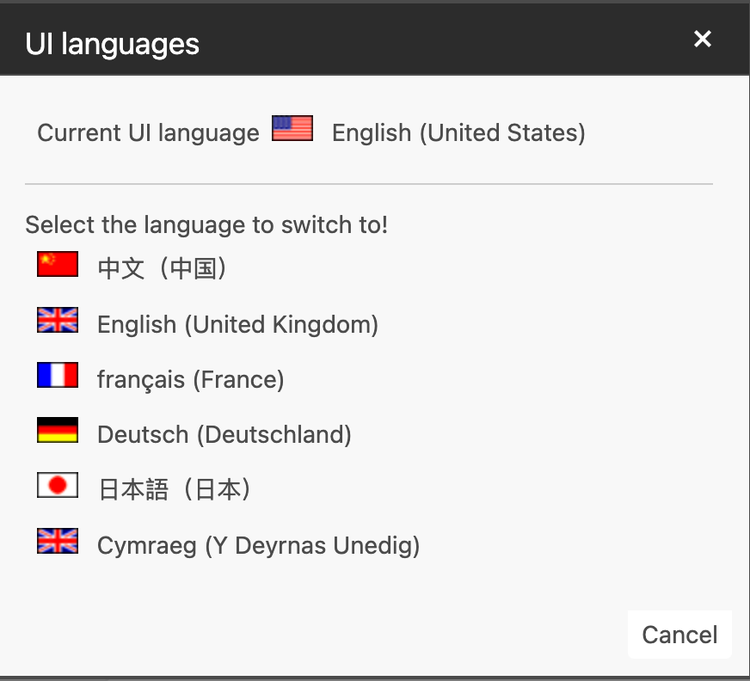
If you don't want to use the tool in English (United States), you can change it to any of the following available languages:
You can also set the date and time format here from the Account settings, this is particularly useful for understanding when tasks in your task list came in.