Reject a request
This workflow is for Terminology team and Vendor Linguistic Managers who are the main terminologist groups to decide what goes in the termbase. The use cases for this workflow may be a wrong translation or a term which may be too generic to enter into the termbase.
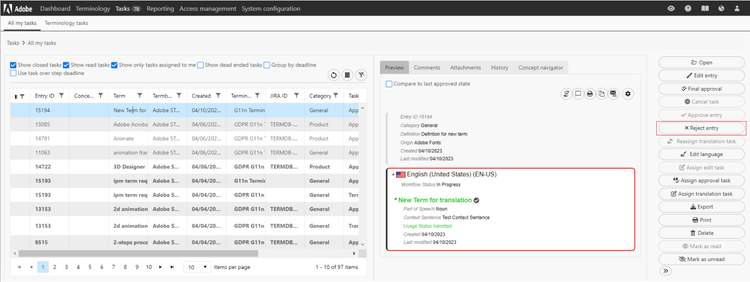
Navigate to the Task tab in Quickterm where you see all your tasks.

Select the task you want to Reject.
Click the Reject Entry or Reject Request button depending on the type of task that you are handling
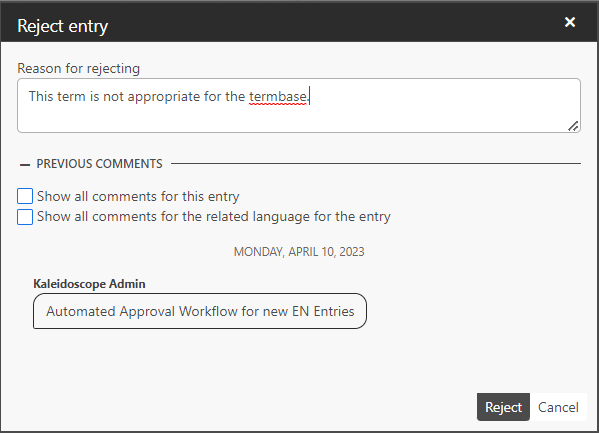
Please enter an proper explanation as to why you are rejecting the request and Click on Reject.
You should see the success banner in the bottom right of your screen and the request will now appear in the tasks on the requestor.