Edit task
The edit task allows you to send a term to be edited to a specialist who may be able to provide specific information or feedback on that term.
The terminology team can assign edit tasks to either the Content Strategy Team or IPM/IEM groups. In both cases, a particular member of these groups can be selected if necessary (e.g. if the term is relevant for a particular product so you want to select that product IPM/IEM).
A translation task can be assigned via one of two ways:
- Directly from the term page showing the entry
- From a task in your task list
From the term page
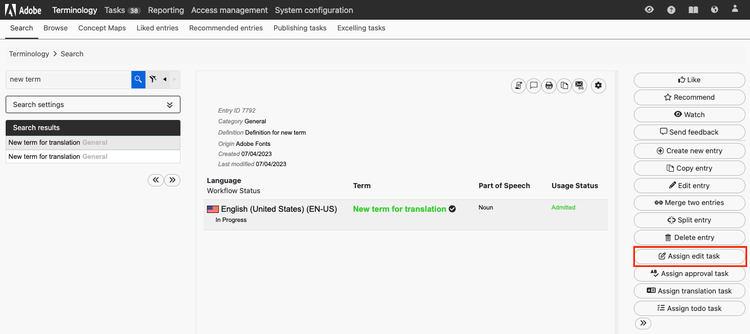
Search for the term in the TD and select the Assign edit task button
From the task list
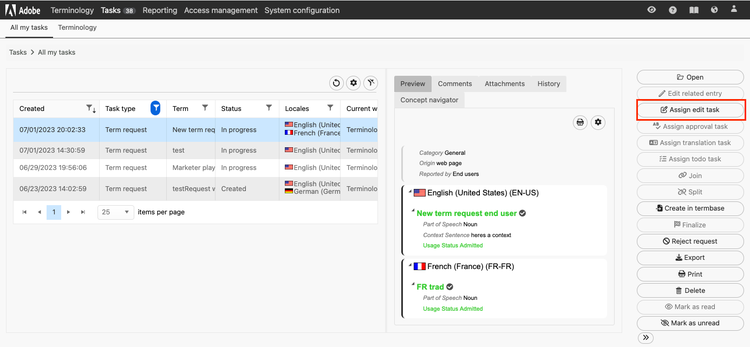
You will see the Assign edit task button
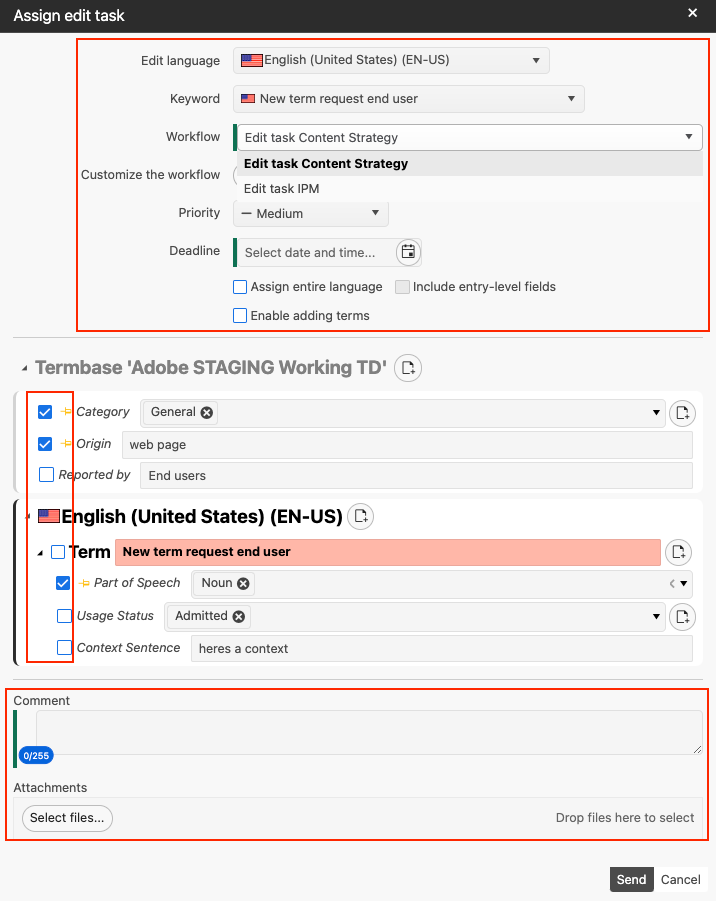
A dialog box will then appear where you can select the following:
-
The Edit language. This will usually be English for the Content Strategy Team and IPM/IEM teams but you have the ability to select any language that the term is available in.
-
The workflow, this is essentially where you select which group to send the edit task to. The two options currently available are Content Strategy team and IPM/IEM
- You can customize the workflow by specifying a particular member of the Content Strategy or IEM/IPM teams by clicking the 'Customize the workflow' button
-
A priority level for the task
-
A deadline for the task so the assignee knows when to complete the task by
-
The specific metadata fields that the assignee must complete by checking the box next to them
- If you want to allow them to edit any part of the entry, you can select 'Assign entire language
- You can also add a comment or any attachments to the request that will be visible to the assignee when they receive the task
Once you click Send you should see the success banner in the bottom right of your screen